Last Updated on June 10, 2026
Men like to watch dreams. Without having a dream none can expect progress. Nowadays, many of us curious to start an online clothing store for selling apparel items at home and abroad. The global e-commerce apparel market reached approximately $821 billion in 2024 and is projected to surpass $1.16 trillion by 2030, according to Capital One Shopping Research, which means the window to carve out your share is still wide open. I think it’s a positive sign to launch an eCommerce site to start a million-dollar business. A single step may give you a path to achieve great success. To guide you, I am presenting this article on my site. Please read this article carefully and learn the basic things that you need for setting up your own online clothing business. So, why are you late and become hesitant? Start your own eCommerce business right now to open a new arena and grow your own identity.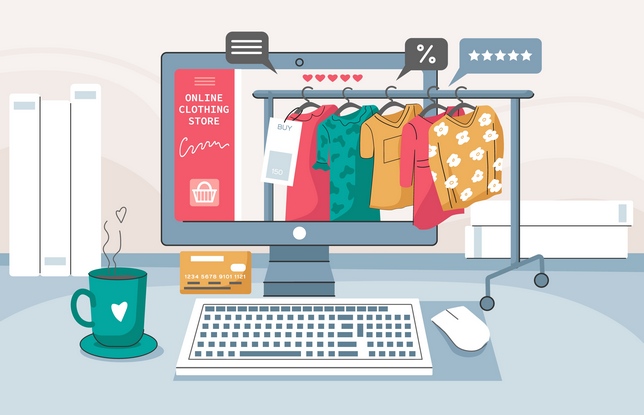
And I am writing this article is especially for those who are planning to launch a new eCommerce site but don’t know how to set it up well. Today, I will try to brief step by step on how to start a new online clothing store and open a new window.
An idea can change your life. The more you read, the more you learn. And it’s the time where the internet has helped thousands of newbie entrepreneurs to fruitful their dreams into reality. And if you are strongly determined to pick the advantage of time. So, start your own online business right now. There can’t be a better time than now. The more early you can start, the more early you can get the preference of time.
However, if you isolate your mind to become an entrepreneur in this arena. Then start to polish your business ideas wisely for implementation. From naming it to develop a business proposal and setting up the online store, a lot is there to decide and do. So, why are you feeling hesitant? Wake up right not to step in this versatile field.
10 Effective Steps to Set Up an Online Clothing Store
Today I am going to focus on 10 effective steps to set up an online store for clothing business:
- Choose the right platform to build your store
- Choose the perfect plan for execution
- Select a small lucrative domain name
- Choose an eye-catching design for your site
- Emphasize product photography
- Add your products frequently
- Set up payment methods
- Pick the advantage of search engine
- Launch It
- Focus on self-branding
Step 1: Choose the Right Platform to Build Your Store
You should select the right clothing store builder to launch your site. You may find plenty of eCommerce site builders that can help you set up your store without any technical skills and assistance. You may find a lot of videos on YouTube to decorate your site. Self-inspiration and internet connection are the key weapon to get success in this ground.
I can refer to the following sites to grow up your store. You can associate with them to make your dream true. But you should choose one of them that suits you the best. Some are easy, expensive, reliable to use and some are not. So, before going to choose, make sure that the software has everything that you need.
Recommended Online Store Builders
- BigCommerce
- Weebly
- Shopify
- Wix
Step 2: Choose the Perfect Plan for Execution
Once chosen the right eCommerce builder then you have to select the right hosting plan to launch your site smoothly. My suggestion is for you, as, you’re just a beginner, so you can switch to their basic plan and then upgrade as you grow. For example, Shopify’s Basic plan is currently priced at $39 per month (or $29 per month on an annual subscription), which includes 24/7 support and an unlimited bandwidth store, according to Shopify’s 2025 pricing page. Right hosting company can provide you the best experience. Please remember that nothing good is free in this universe. You need to choose a plan that you think is perfect for your needs. You can upgrade your plan anytime when your business is booming, but keep patience till that time. Before choosing any plan, please ensure their 24 hours premium customer support is available over the phone, live chat, or email.
Step 3: Select a Small Lucrative Domain Name
Selecting a small lucrative domain name close to your niche can help you to gain success quickly. Please try to choose a small domain name that can remember by your targeted customer easily which may help them to bring back again. Nowadays, finding a small domain name is very tough. Please be noted that a unique domain name can boost your brand and reflect your USP quickly.
What Is a USP?
USP or ‘Unique Selling Point’ of a product or service is a particular feature of it which can be used in advertising to show how it is different from and better than, other similar products or services. So, perfect domain selection is a very important part to launch an eCommerce site. A custom domain name makes your online clothing store look more professional and reputable. It identifies where you are and helps people find you easily. You can register a domain name through registrars like Namecheap, GoDaddy, or Google Domains, with most .com domains costing between $10 and $15 per year. Before you settle on a name, check whether matching handles are available on Instagram and Facebook too, since brand consistency across platforms matters early on.
Step 4: Choose an Eye-Catching Design for Your Site
Select a unique logo, brand colors and slogan then choose a template accordingly. You have to launch your store from a bunch of templates. It’s a little bit difficult, but a user-friendly and eye-catching design is a mandatory part to launch an eCommerce site. Your store is the bridge that will create a direct link with your customers and that’s why designing it is a vital stage of your branding strategy. You may modify your template if you wish. Don’t worry, this is very easy to do and doesn’t require you to know how to code at all.
What You Can Customize
You can customize your template by adding new product pages, changing color palette and background image, changing font type, color, size, and Integrating your social media feeds with your store. This customization will help you to build up your self-branding.
Do Not Overlook Mobile Layout
One thing most beginners overlook is mobile layout. Over 70% of fashion ecommerce traffic now comes from mobile devices, so preview your store on a phone screen before you go live, not just on a desktop.
Step 5: Emphasize Product Photography
Product photography is another important part, especially for an online store. Many of us neglect it, but you shouldn’t ignore it anyhow. Your customer can’t touch your products physically; thus, you have to upload clear, attractive images to boost your selling. Research by Shopify found that products with professional-quality photos saw a 33% higher conversion rate on average compared to those with low-quality images.
How to Get Started With Product Photography
You can use different tools to do photography perfectly. If you don’t have a professional camera yet, a modern smartphone placed on a tripod with a white cardboard background and good natural light can produce clean, sellable images to get you started. You should gather knowledge of Photoshop and photography to accomplish your task smoothly.
Step 6: Add Your Products Frequently
To get more selling through your online platform you have to enlist your products on your store frequently. Verity of products and categories can ensure more sales. Once get the product, pick the photo, edit it, write the details, fix a price, and post it in your store for selling. You need to ensure that customers can find what they need quickly and easily.
Write Product Descriptions That Sell
One practical habit is to write product descriptions that answer the questions a buyer would ask in a physical store: What fabric is it? How does it fit? Does it run large or small? Answers to these specific questions reduce hesitation and lower your return rate.
Step 7: Set Up Payment Methods
Multiple and secured payment options are mandatory to operate an online store. Because you don’t know what payment method would a customer prefer and so you need to provide them with multiple payment options. From mobile banking to debit card payment for net banking, you need it all.
So, link with all payment methods to your store. Suitable payment options will encourage customers to buy more items from your store.
Regional Payment Options to Consider
If you are selling to customers in South Asia or Southeast Asia, make sure you also integrate popular regional options like bKash, Nagad, or MCash depending on your target market, as many buyers in these regions prefer mobile wallets over cards.
Reduce Cart Abandonment at Checkout
It is also worth knowing that unexpected costs at checkout, including delivery fees and taxes appearing only at the final step, are the top reason shoppers abandon their carts, according to a 2024 Dynamic Yield survey. Being upfront about total costs on the product page itself can meaningfully lift your completion rate.
Step 8: Pick the Advantage of Search Engine
Selling clothes in the online marketplace is tougher than the traditional way. Because customers can’t examine your products physically and you can’t realize their reactions. Moreover, other big competitors are angry to grab you. Thus, you have to seek the help of search engines to attract customers to your online clothing store.
First of all, you have to study keyword research, google algorithm analysis, focused page title, and meta description. That means you need to optimize your store frequently for search engines and develop content search engine friendly.
Keyword Strategy Example
Suppose, you’re selling men’s winter clothing and accessories. So, your keywords might be: ‘winter clothing, men’s winter clothing’ ‘winter accessories,’ and ‘men’s vintage accessories.’ Selecting the right keywords, page title and meta description will help you to get a position on the first page what people search for to arrive at your online clothing store.
Mobile Optimization and Google Rankings
Mobile optimization is equally important here. Google now ranks websites primarily based on their mobile version, a practice called mobile-first indexing. If your store loads slowly or looks broken on a phone, it will rank lower even for desktop searches. Use Google’s free PageSpeed Insights tool to check and fix issues before they cost you traffic.
Step 9: Launch It
Now you are ready to launch your site. But before launching, please review it again and again. Please take assistance from an IT expert if required. If possible, recruit an online marketer or eCommerce experts to support you.
You may have missed some silly little mistakes. So, we suggest you to take the help of your friends or relatives to check it at a glance. Once done all the steps and are totally happy with it, it’s time to publish and start selling clothes online!
Step 10: Focus on Self-Branding
Once your site has launched in front of the world, you have to emphasize self-branding. Because there are lots of competitors that exist on this platform. Thus, you have to focus on article writing, SEO, advertisement to get the advantage of search engines. Make a strategic plan for marketing your online clothing store on social media. This is a free and easy method of getting your brand name out into the world. Make your own Facebook page, group, Twitter, Instagram, YouTube channel, and try to increase followers.
Please try to realize the customer’s feedback and interact with them directly. Do email marketing and blogging to establish your brand as a genuine, trustworthy contender in the eCommerce arena. Always offer some discounts to your customers frequently to realize their pulse. You have to focus on self-branding to sustain a long time in the online world. Product variation, product quality, competitive price, and on-time delivery can ensure your self-branding and enhance your goodwill.
Conclusion
I think now you are conscious to operate your online store independently and waiting to start selling. You should give thanks to online store builders like Wix and Shopify who are providing ready-made template service. Now anyone can operate and customize their online store easily without learning how to code and without breaking the bank. They have minimized hassles to launch an eCommerce store and picked all the hassle onto their shoulders. Now you can handle your eCommerce site with full of joy.
Frequently Asked Questions (FAQs)
Q1. Which platform is best for starting an online clothing store for beginners?
Ans: Shopify is the most beginner-friendly and widely recommended platform for starting an online clothing store. It offers ready-made templates, built-in payment processing, and 24/7 support, with plans starting at $39 per month. Wix is a solid free-to-start alternative if budget is your first concern.
Q2. How much does it cost to start an online clothing store?
Ans: A basic online clothing store can be launched for as little as $50 to $100 per month when you factor in platform fees, domain registration, and a starter photography setup. Costs grow as you add paid apps, advertising, or premium themes, but the entry barrier is low compared to a physical shop.
Q3. Do I need a business license to sell clothes online?
Ans: In most countries, yes. Even operating from home, you typically need a basic business registration to open a merchant payment account and collect taxes legally. Requirements vary by country and region, so check with your local business registration authority before you launch.
Q4. How do I get my first customers for a new online clothing store?
Ans: The fastest route for most new stores is Instagram and Facebook organic posting combined with a small budget for targeted ads. Joining relevant Facebook groups and offering a first-purchase discount code to your personal network can generate your first few orders without spending much at all.
Q5. Why do people abandon their cart without buying on clothing sites?
Ans: The single biggest reason, according to a 2024 Dynamic Yield survey, is unexpected costs appearing at checkout, such as delivery fees and taxes that were not shown earlier. Displaying the full price clearly on the product page and offering free shipping above a threshold are two of the most effective ways to reduce this and recover lost sales.